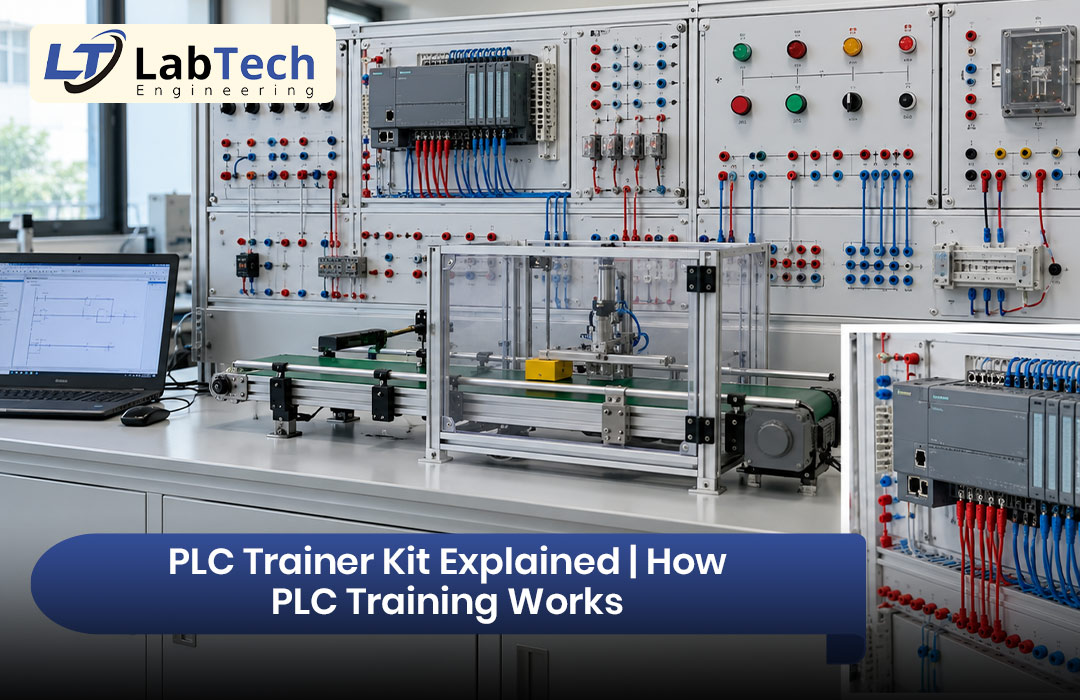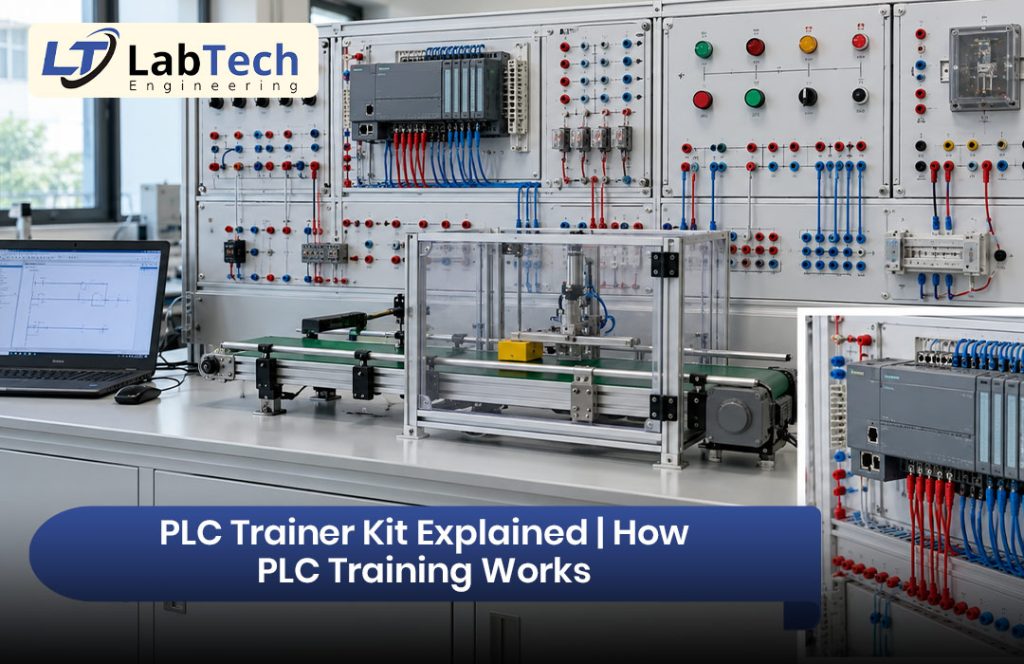
A PLC trainer kit is a ready-to-use training board that helps students learn how a programmable logic controller (PLC) works. Instead of building a full control panel, learners connect switches, lamps, sensors, and motors on one safe bench and test their programs in real time.
In Bangladesh, more polytechnic institutes, universities, and technical training centers now use PLC trainer kits. The reason is simple. Factories, power plants, and processing industries depend on industrial automation, and they need technicians who can program and fix PLC systems. This guide explains what a PLC trainer kit is, how PLC training works, what is inside the kit, and how to choose the right one for your lab.
What Is a PLC Trainer Kit?
A PLC trainer kit is a learning platform built around a real, industrial-grade PLC. It usually has a PLC unit, a power supply, input switches, output indicator lamps, and connection sockets, all mounted on one panel or desk-style frame. Many kits also include sensors, relays, and small motors or process models.
The goal is to let students practice PLC programming and wiring without risk to people or machines.
A PLC is a rugged industrial computer. It reads inputs, such as push buttons and sensors, runs a stored program, and controls outputs, such as motors, lamps, and valves. A trainer kit brings this same logic into the classroom.
Why PLC Training Matters in Bangladesh
Many factories use PLCs to control conveyors, packaging lines, pumps, boilers, and machine tools. Students who only study theory often find it hard to work on these systems.
A PLC trainer kit closes this gap. It gives hands-on practice with real components, so students learn to:
- Read and write ladder diagrams
- Wire inputs and outputs correctly
- Test and troubleshoot control circuits
- Follow safe working habits in industrial control systems
For institutes, a good trainer kit also supports practical classes in automation, control systems, and mechatronics. To see how a PLC lab fits into a bigger setup, read our guide on power and automation lab equipment.
What Is Inside a PLC Trainer Kit?
A standard kit has these parts:
- PLC CPU unit: The brain of the kit. Common brands include Siemens, Mitsubishi, Delta, Omron, and Allen-Bradley.
- Digital input and output (I/O): Toggle switches, push buttons, and LED lamps for basic logic practice.
- Analog input and output: Found in some kits, these let students practice temperature, level, or speed signals.
- Power supply and protection: Fuses or MCBs keep the kit safe.
- Patch cords and sockets: Students make the connections themselves.
- Sensors and actuators: Proximity sensors, limit switches, relays, contactors, and small motors.
- Programming cable and software: Used to write the program on a PC and send it to the PLC.
- Manual and experiment guide: Step-by-step lab work for students.
Some advanced kits add an HMI touch screen, a variable frequency drive (VFD), or process models such as a conveyor, traffic light, or water tank.
How Does PLC Training Work?
PLC training follows a simple path. Each step builds on the last one.
- Learn the basics. Students study inputs, outputs, and the scan cycle. In each scan, the PLC reads the inputs, runs the program, and updates the outputs. This repeats many times every second.
- Write the program. Most beginners start with ladder logic, because it looks like an electrical circuit diagram. Other PLC languages include function block diagram, structured text, and sequential function chart.
- Download the program. The student connects a PC to the PLC and sends the program to it.
- Wire the circuit. Using patch cords, the student connects switches, sensors, lamps, or motors to the I/O points.
- Run and test. The student switches the PLC to run mode and watches the lamps, relays, or motor respond.
- Debug and improve. If the result is wrong, the student checks the logic and the wiring, fixes the problem, and tests again.
This cycle of write, wire, test, and fix is the same work a technician does in a real plant.
Common PLC Trainer Kit Experiments
A good kit comes with a wide list of practical exercises. Here are some of the most common ones:
- Start and stop control with a latching (seal-in) circuit
- Timers and counters for delay and counting tasks
- Direct on-line (DOL) motor starter
- Star-delta motor starter
- Forward and reverse motor control
- Traffic light control with timed sequences
- Conveyor and sequence control
- Tank level and pump control using analog signals
- Alarm and interlock circuits for safety
Students who want to understand the motors used in these tasks can also read about electrical machine lab equipment.
Types of PLC Trainer Kits
Not all kits are the same. The main types are:
- Basic compact trainer: A fixed PLC with switches and lamps. It is good for beginners and basic ladder logic.
- Modular trainer: The PLC, I/O modules, and accessories can be changed or expanded.
- Trainer with process models: It includes models such as a conveyor, lift, or water tank for real-style projects.
- Trainer with HMI or SCADA: It adds a screen or monitoring software for advanced training.
- Portable desktop trainer: It is small, light, and easy to move between rooms.
For control and mechatronics practice, you can browse the Control System Lab and Mechatronics Lab categories.
PLC Trainer Kit vs PLC Simulator Software
Some institutes ask if a free PLC simulator is enough. A simulator is helpful for testing logic and for home practice. However, it cannot replace a real kit.
With a simulator, students do not learn real wiring, loose connections, sensor faults, or electrical safety. With a hardware trainer kit, they face real signals and real problems. The best approach is to use both: simulator software for extra practice and a trainer kit for real skills.
How to Choose the Right PLC Trainer Kit
Before you buy, check these points:
- Syllabus match: Pick a PLC brand and software that your course uses.
- I/O points: Make sure there are enough digital and analog inputs and outputs for your experiments.
- Safety features: Look for fuse protection, insulated sockets, and a strong enclosure.
- Build quality: Industrial-grade parts last longer in a busy student lab.
- Experiment list: A clear manual with ready-made experiments saves teaching time.
- Expandability: Choose a kit that can grow with extra modules or process models.
- Software and licence: Confirm that programming software is included or easy to get.
- After-sales support: Installation, teacher training, warranty, and spare parts matter just as much as the kit itself.
For a full checklist, read our guide to choosing lab equipment in Bangladesh. If you are setting up a technical institute, our article on a polytechnic lab equipment supplier will also help. Universities can see our guide to university laboratory equipment in Bangladesh.
Why Local Support Matters for PLC Training in Bangladesh
A PLC trainer kit is a long-term investment. Over the years, your lab will need help with setup, software, teacher training, and repairs. A supplier that works inside Bangladesh can respond faster than one that only ships a box.
LabTech Engineering is a leading provider of Electrical Machine Lab Equipment and advanced engineering laboratory solutions in Bangladesh. As an Electrical and Electronics based research and development company, it supports universities, polytechnic institutes, vocational training centers, research laboratories, and industrial training facilities with complete laboratory setup solutions. The team also offers installation support, training services, and after-sales assistance, so your lab gets maximum educational value.
You can learn more about the company on the About Us and Mission and Vision pages. To see the institutes it already serves, visit the Clients page. You can explore available equipment in the Shop and the LabTech Shop. If you have a specific lab plan, please contact LabTech Engineering to discuss your needs.
If you are also planning a wider technical lab, our guide to robotics lab equipment in Bangladesh shows how automation, sensors, and control systems work together.
Frequently Asked Questions
What is a PLC trainer kit used for?
It is used to teach PLC programming, wiring, and troubleshooting in a safe lab setting. Students practice with real inputs and outputs and see their programs work at once.
Can a beginner learn PLC with a trainer kit?
Yes. A trainer kit is one of the best ways to start. Beginners can begin with simple ladder logic exercises, such as a start and stop circuit, and then move to timers, counters, and motor control.
Which PLC brand is best for training?
There is no single best brand. Choose the brand that matches your syllabus and the PLCs used in local industries. Siemens, Mitsubishi, Delta, and Omron are all common in training labs.
Does a PLC trainer kit need a computer?
Most kits need a PC or laptop with programming software to write and download the program.
How many students can use one kit at a time?
Two to three students per kit is a good number. This lets every student wire, program, and test instead of only watching.
What is the difference between a PLC trainer kit and a PLC training kit?
There is no real difference. Both names describe the same type of training equipment.
Final Thoughts
A PLC trainer kit turns PLC theory into real skill. Students learn to write programs, wire circuits, test results, and fix faults, which is exactly what factories expect from a technician. When you choose a kit, match it to your syllabus, check the safety and quality, and make sure you have strong local support for installation, training, and service.
With the right PLC trainer kit, your institute can prepare students for the growing field of industrial automation in Bangladesh.